
SKYLARK
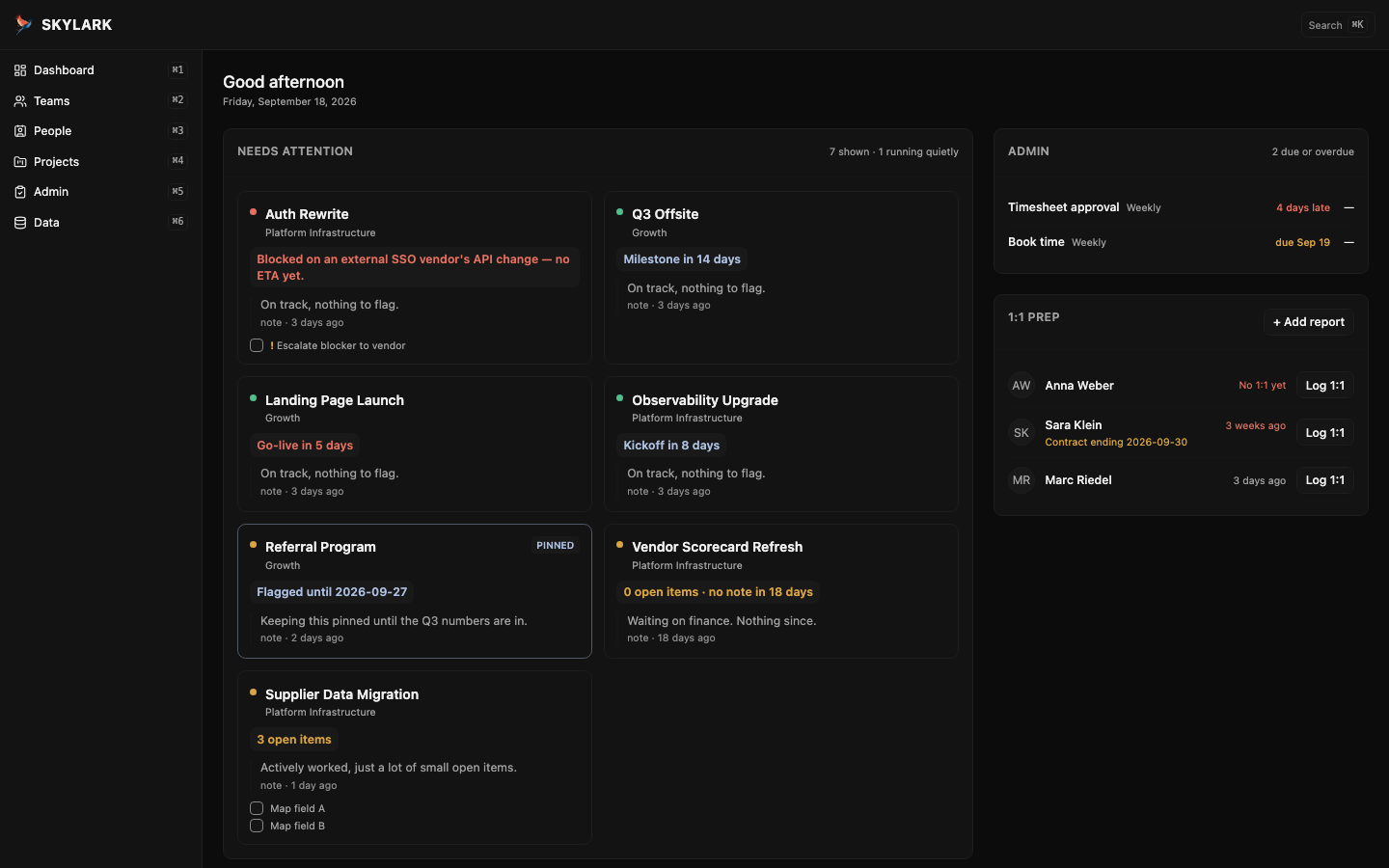
A dashboard for managers tracking more than fits in their head — it surfaces the projects, admin, and people who need you today, and stays quiet about everything else.
How it works
1
Open Skylark
No sign-up, no download. It's a webpage.
2
Install it
It's a PWA. Install it via Chrome. Find the little install icon. Now it's an app, and it works offline.
3
Add your first project
Or import a workspace file if you're moving from somewhere else.
Questions
Is my data safe?
Everything is stored in your browser. Nothing is uploaded anywhere, and there's no account or server to trust.
Does it work offline?
Yes. Install it like a real app and it keeps working with no connection at all.
What if I lose my data?
Save your whole workspace to a file whenever you want a backup, and load it back exactly as it was — on this machine or another one.
Is it free?
Yes — free, browser-based, and open to anyone.
Who made this

Khalil Lechelt
Engineering manager running four teams by day. Skylark is what he actually wanted for himself.